GLP-1 Companion - Marker1.0.3
Publisher Description
The only app that actually explains what's happening in your body on GLP-1.
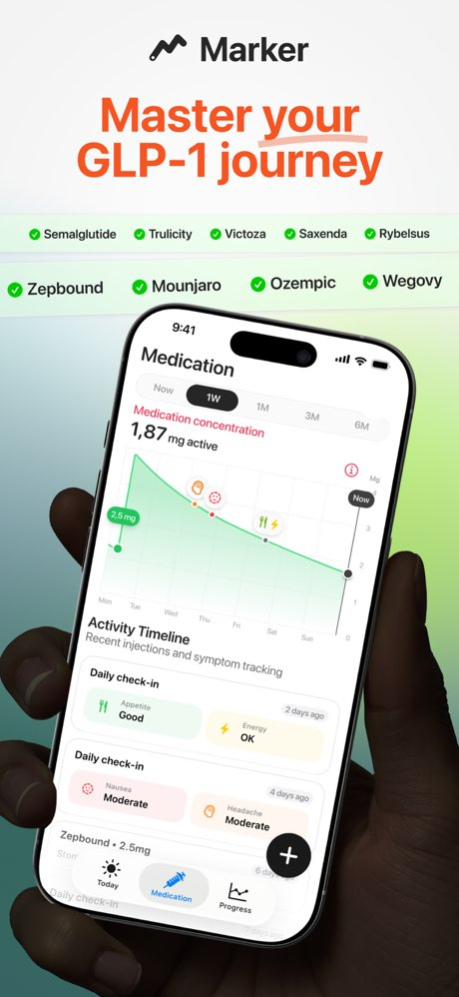
Whether you're on Ozempic, Wegovy, Mounjaro, Zepbound, Saxenda, Rybelsus, Victoza, Trulicity - Marker is your personal GLP-1 tracker to log shots, track side effects, manage your diet, and understand your treatment without the overwhelm.
SEE YOUR MEDICATION CYCLE IN REAL-TIME
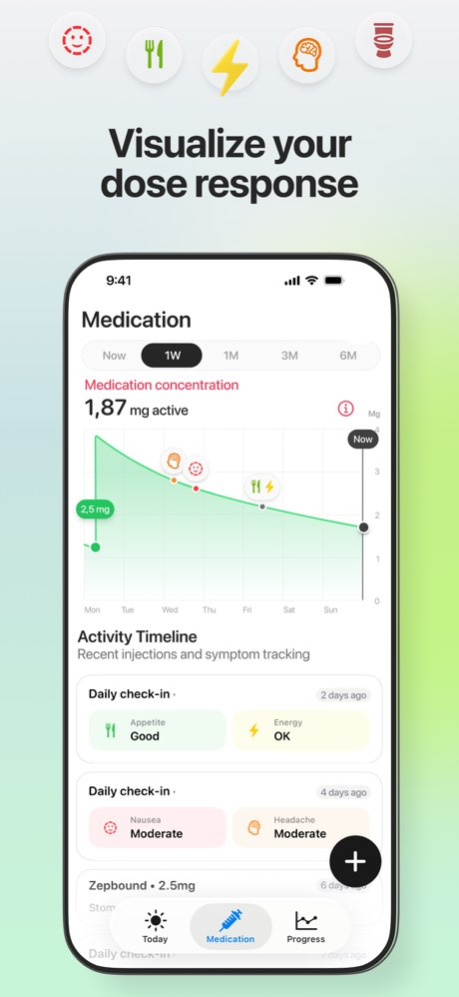
- Track every GLP-1 shot and see how each injection affects your body over the week.
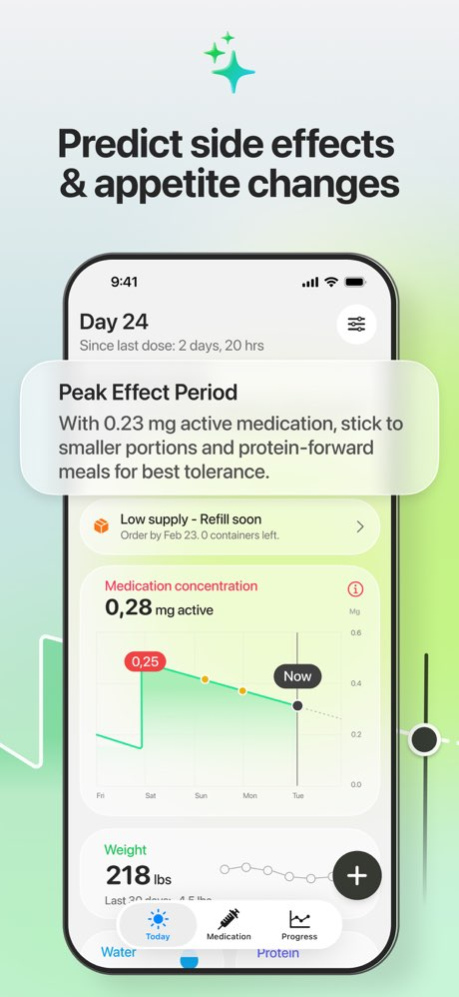
- Know exactly where you are in your GLP-1 cycle with our interactive concentration curve.
- That intense nausea on day 3? The sudden energy crash? Marker shows you it's your peak period-not you doing something wrong. Finally understand why you feel the way you do, and when to expect it.
SMART MEDICATION MANAGEMENT
- Never run out: Enter your pen inventory and get automatic reorder alerts based on your dosing schedule
- Smart injection tracking: Log your shots and injection sites with rotation reminders to avoid bruising
TRACK EFFORTLESSLY
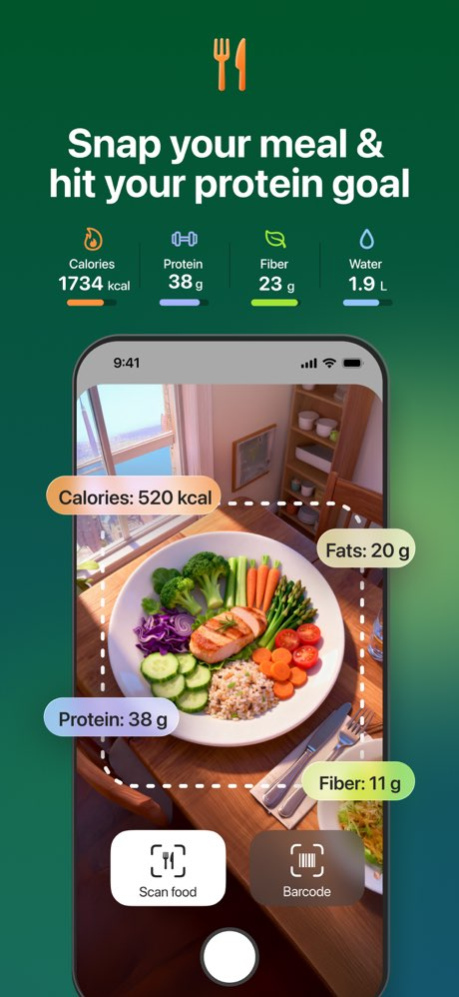
- Snap & log: Photo or barcode scan = meal logged in seconds (10x faster than manual entry)
- Build a better GLP-1 diet: Track your protein intake, calories, fiber, water, and steps to support weight loss and muscle preservation
- Visual progress: Weekly photo timeline to see your transformation
YOUR WEIGHT JOURNEY, VISUALIZED
- Interactive weight curve showing your progress over time
- See exactly how much you've lost since starting treatment
- Track your BMI and watch it change as you progress
- Export your data to share with your healthcare provider
UNDERSTAND YOUR SIDE EFFECTS
- Track GLP-1 side effects as they happen: nausea, fatigue, appetite changes, reflux, constipation, and more..
- Marker identifies patterns you'd never notice otherwise: When do your side effects peak in your cycle? Which symptoms are linked to your injection day? When does your appetite return? What triggers your nausea or fatigue?
Your entire GLP-1 journey (trends, symptoms, progress) visualized in seconds.
WORKS WITH APPLE HEALTH
Auto-sync your weight, steps, and nutrition data for the complete picture.
PRIVACY-FIRST
All health data encrypted and stored securely. We never sell your information. HealthKit integration is optional.
WHO IT'S FOR
Marker is designed for anyone using GLP-1 medications like Ozempic, Wegovy, Mounjaro, Zepbound, Saxenda, Rybelsus, Victoza, Trulicity who wants a reliable GLP-1 tracker to log shots, track side effects, monitor diet and protein intake, and follow their weight loss journey with clarity.
Health Disclaimer: Marker is for tracking and educational purposes only. Always consult your healthcare provider for medical advice.
Questions? Contact us at support@markerhealth.app
Privacy Policy: https://markerhealth.app/privacy/
Terms of Service: https://markerhealth.app/terms/
We've been busy making Marker even better!
This update includes improvements to app performance, stability fixes, and a smoother experience.
Questions or feedback? We'd love to hear from you at support@markerhealth.app
About GLP-1 Companion - Marker
The company that develops GLP-1 Companion - Marker is Clement Baudet. The latest version released by its developer is 1.0.3.
To install GLP-1 Companion - Marker on your iOS device, just click the green Continue To App button above to start the installation process. The app is listed on our website since 2026-01-21 and was downloaded 0 times. We have already checked if the download link is safe, however for your own protection we recommend that you scan the downloaded app with your antivirus. Your antivirus may detect the GLP-1 Companion - Marker as malware if the download link is broken.
How to install GLP-1 Companion - Marker on your iOS device:
- Click on the Continue To App button on our website. This will redirect you to the App Store.
- Once the GLP-1 Companion - Marker is shown in the iTunes listing of your iOS device, you can start its download and installation. Tap on the GET button to the right of the app to start downloading it.
- If you are not logged-in the iOS appstore app, you'll be prompted for your your Apple ID and/or password.
- After GLP-1 Companion - Marker is downloaded, you'll see an INSTALL button to the right. Tap on it to start the actual installation of the iOS app.
- Once installation is finished you can tap on the OPEN button to start it. Its icon will also be added to your device home screen.
Program Details
System requirements
Download information
Pricing
Version History
version 1.0.3
posted on 2026-01-21
We've been busy making Marker even better!
This update includes improvements to app performance, stability fixes, and a smoother experience.
Questions or feedback? We'd love to hear from you at support@markerhealth.app
